
Accessory guide · NexWave Games
Buying a used Xbox Elite controller: check these parts
An Xbox Elite controller is about customisation: different sticks, rear buttons and settings that suit your hands. With a used example, you therefore want to see more than an attractive front. Which version are you buying, which removable parts are included and does everything respond properly? A focused check shows whether the set will meet your expectations when you play.
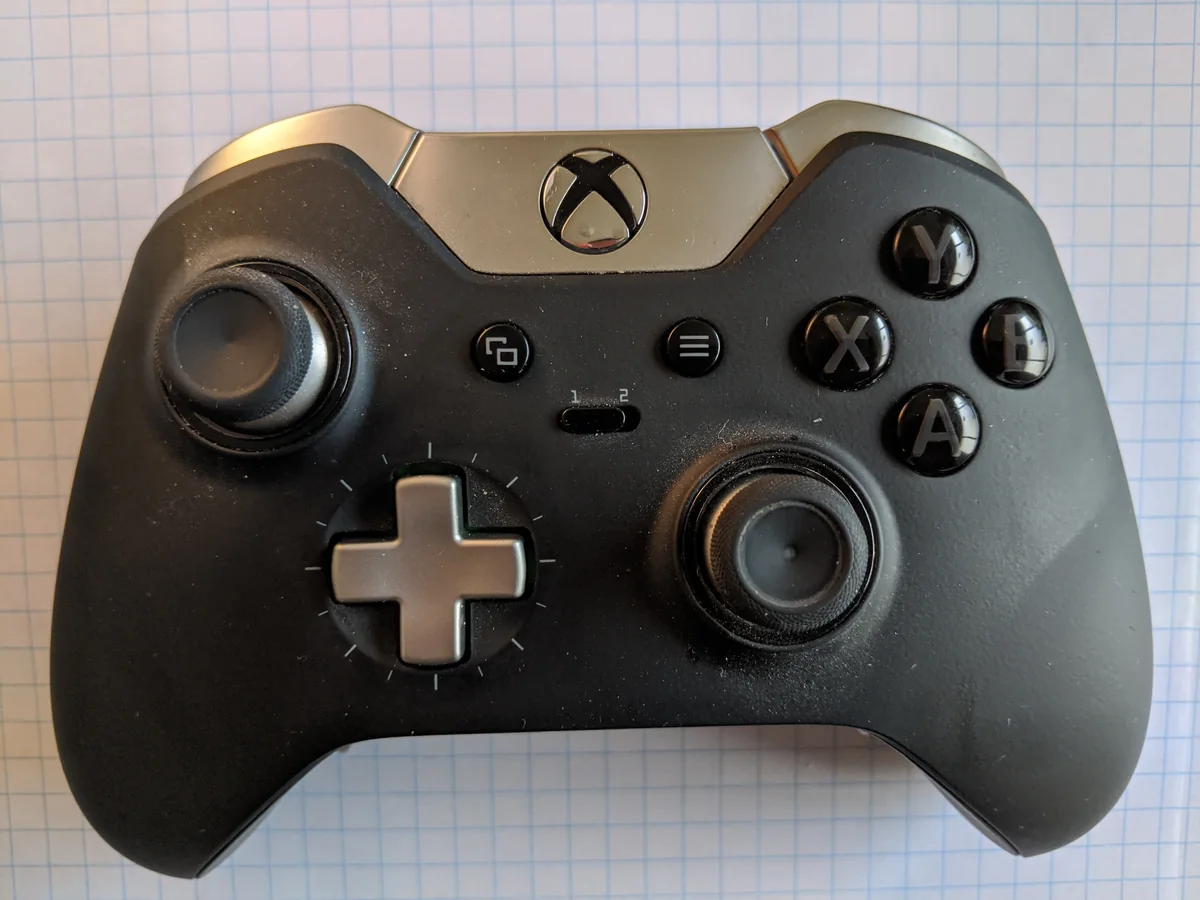

Identify the generation and bundle
The first Elite controller and the Elite Series 2 are different models. The original uses micro-USB; Series 2 uses USB-C and has a built-in rechargeable battery. Check the model description and the ports in the photographs. Do not assume that a cable, stick or charging solution is interchangeable between generations. If unsure, ask for a photograph of the model number and compare it with official support information.
The Series 2 Core has the same controller base as Series 2 but was originally sold with fewer accessories. Missing paddles or a charging dock in a Core listing therefore do not automatically mean that a complete standard bundle has lost parts. With used goods, the actual advertised contents matter. Ask for a photograph showing the controller, sticks, D-pad, paddles, cable and any case together. Agree which parts are included in the price.
Test every input, even without a game
Use the Xbox Accessories app to check inputs and button assignments. Move both sticks slowly around their range and release them. Watch for movement while you are not touching anything and directions that skip. Press both stick buttons too. A game can hide small deviations through its own settings, so a separate input test usefully complements a short playing session. Afterwards, also test your usual game.
Next check A, B, X, Y, the bumpers and both triggers. Try the trigger stops in their different positions and check that the triggers always return. Press each fitted paddle separately and check which command is registered. A different button assignment is not the same as a fault. Start with a known profile so that you do not mistake a custom setting for a broken button.
Connection, battery and removable parts matter
Test the controller wirelessly and with an appropriate cable. Check that the connector sits securely and that a Series 2 actually starts charging. A light does not establish good battery life: ask how long the controller lasts in normal use. The original maximum manufacturer figure is not a promise for a used battery. Look for damaged contacts, loose grips and unusually open seams too.
Removable sticks and D-pads should fit securely without coming loose unexpectedly. On Series 2, also check whether the stick-tension tool is present when advertised. If a part you want to use is missing, include that replacement in your total-price comparison. A clearly presented set with demonstrably working components is easier to assess than a large case containing parts that have never been tested.