
Accessory guide · NexWave Games
Kinect for Xbox 360 or Xbox One: how do you identify the right sensor?
Two black cameras called Kinect can easily look like the same accessory in a used listing. However, the Xbox 360 and Xbox One sensors belong to different consoles and games. A different cable alone cannot fix the wrong combination. If you want to dance, exercise or control an adventure through movement, start with the logo on the game box and your console model. The choice then becomes much clearer.
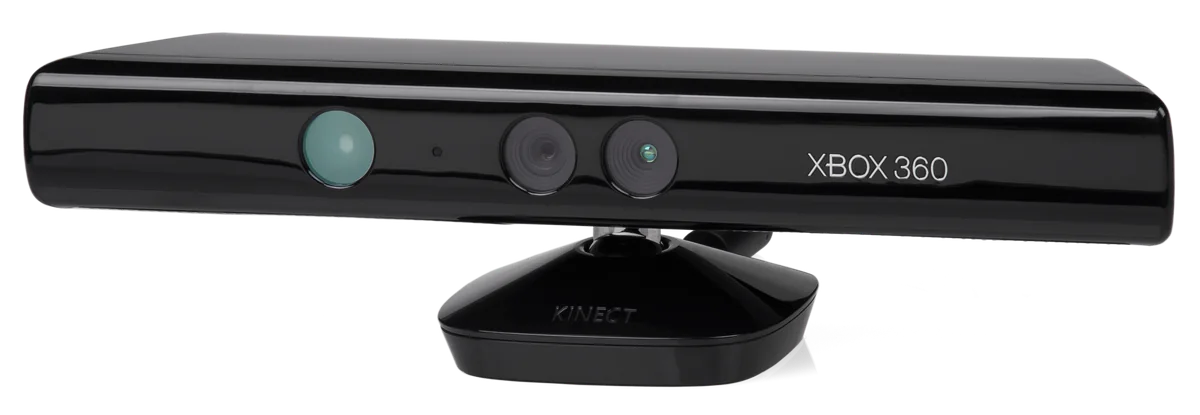

Identify the generation first
The Xbox 360 Kinect is the long sensor with a rounded top and a small central stand. The Xbox One version looks more angular and has a wider rectangular base. Treat the shape as an initial clue, but also ask for a photograph of the label and connector. A listing saying only Kinect does not tell you which Xbox the offered unit is intended for.
The games also belong to their own generation. Kinect Sports for Xbox 360 is not the same game as Kinect Sports Rivals for Xbox One. An Xbox One sensor does not make an Xbox 360 Kinect game playable on Xbox One. Check the full title, console logo and Kinect requirement. This avoids buying a camera that fits your console while your game is still the wrong version.
Check which connection you need
On Xbox 360, the connection depends on the console version. Xbox 360 S and Xbox 360 E have a dedicated Kinect port. The original Xbox 360 model uses the appropriate Kinect power adapter with a USB connection. When buying a separate sensor, ask which power supply and cables are included. A sensor taken straight from a bundle may not contain every part your older console needs.
The original Xbox One also has a dedicated Kinect port. Xbox One S and Xbox One X lack it, so you need the Kinect Adapter for the Xbox One sensor, including its power supply and USB cable. Do not confuse this adapter with the Xbox 360 power supply. Kinect is not supported by Xbox Series X or Xbox Series S; a USB adapter does not change that.
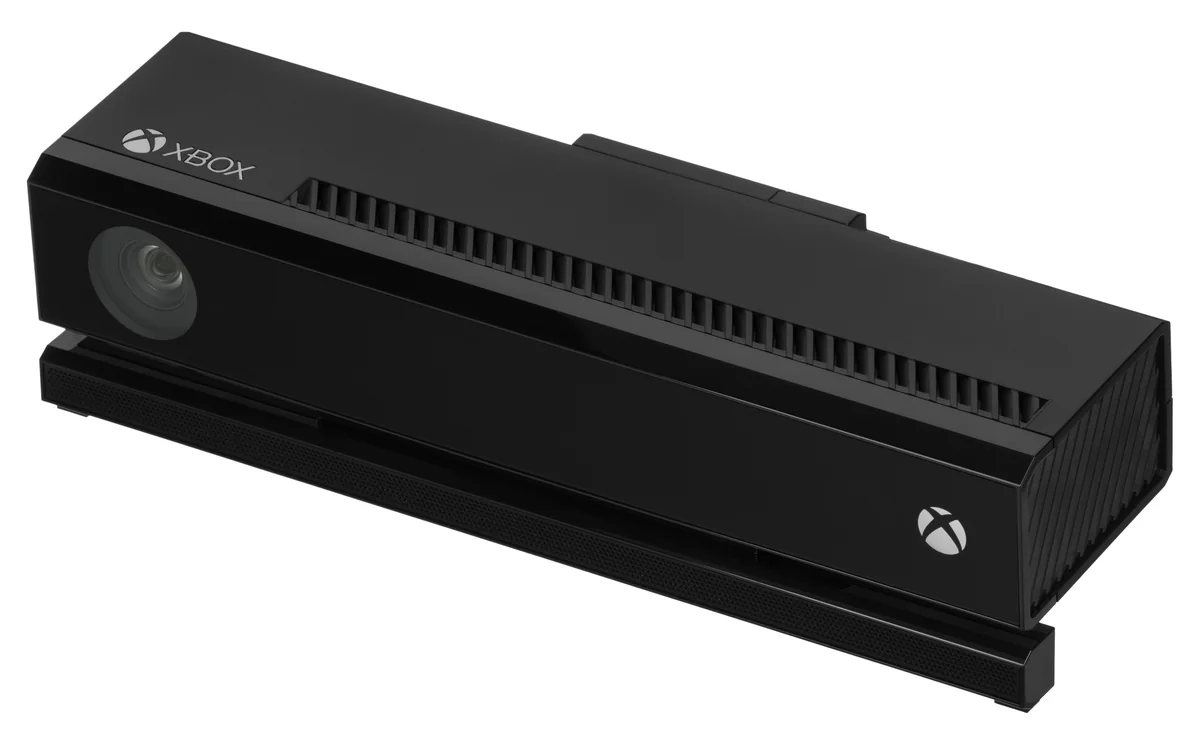

Ask for a test of the complete setup
Have the correct console recognise the used sensor and try a compatible game. Check that the camera follows your movements and the cable stays firmly connected. A photograph of a lit indicator alone does not prove motion tracking works. Also inspect the lens, cable and connectors for damage. Ask whether the stand and any other visible components are complete.
Check the space in front of your television at home beforehand. You must be able to move without hitting furniture or other players; the required play area varies by game and player count. Position the sensor securely following Microsoft’s instructions. By checking the console, game, sensor and cables together, you know what you are actually buying and which parts you still need before the first dance competition can begin.