
Accessory guide · NexWave Games
A used DualSense Edge: which parts should be included?
A DualSense Edge in a tidy carrying case can appear complete while small parts are missing. This PS5 controller comes with different stick caps and back buttons for customising controls. Looking at the front alone does not reveal what occupies the case's compartments. Compare the advertised contents with the original set when buying used, then test the controller itself.
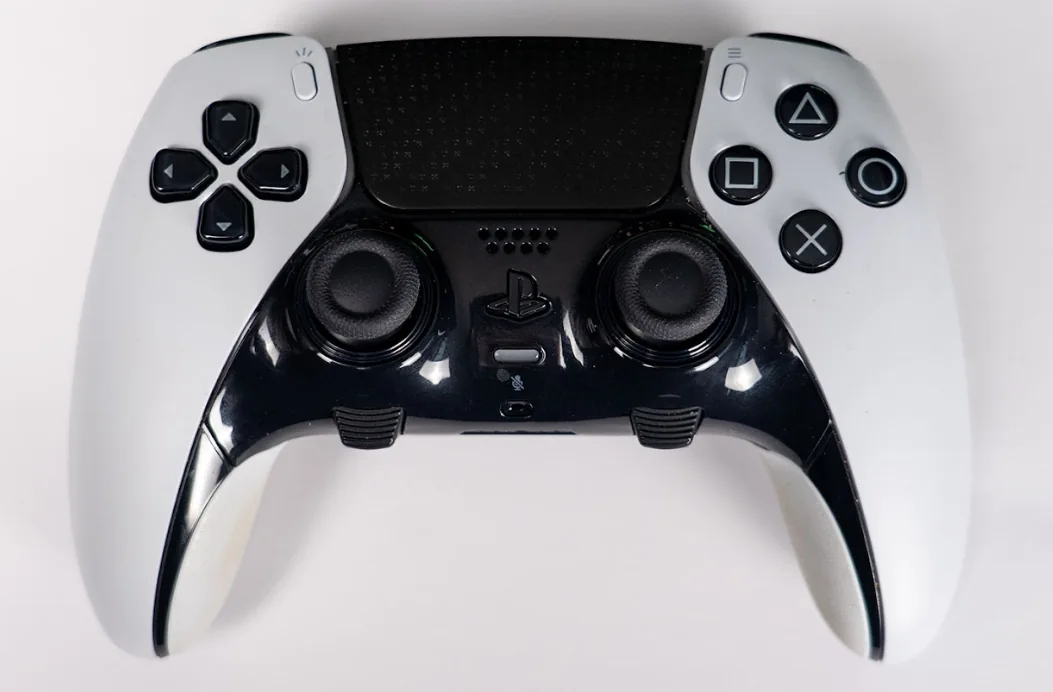

Count caps and back buttons separately
The original set has two standard stick caps already attached to the controller, two high dome caps and two low dome caps. That means three paired types, not six additional caps beyond those fitted. It also includes two half-dome back buttons and two lever back buttons. Ask for a photograph showing the loose parts side by side so they are less easily counted twice.
Back buttons fit the designated slots on the rear. Their different shapes let you choose what feels comfortable under your fingers. A missing pair does not turn the other shape into the same accessory. If you specifically want short buttons or levers, ask whether those are included. An advert saying extra buttons reveals too little about the actual supplied parts.
Check the cable, connector housing and carrying case
Sony also lists a braided USB cable, connector housing to secure the cable, carrying case and user manual among the original contents. Check the cable and connection and whether the housing is present. A generic USB cable may mean a different set from the original packaging. That need not bother every buyer, provided the description and price reflect what you receive.
Do not confuse removable stick modules with loose caps. A module is a larger replacement component; the cap sits on top of the stick. Extra replacement modules were sold separately and are not standard spare parts in the controller box. An empty storage space in a case therefore does not prove a spare is missing. Ask about earlier replacement if you want to understand the controller's maintenance history.
Complete contents do not replace functional testing
Connect the Edge to a PS5 and test sticks, buttons, back buttons and triggers. Check that the sticks return to the centre without touching them and input remains stable. Test charging and wireless use rather than just a lit indicator. Inspect cap and back-button attachment and grip condition too. A complete case can still contain a worn controller.
DualSense Edge is intended for PS5 and also works with supported PC games and other compatible devices, with features varying by game and connection. It is not a direct DualShock 4 replacement on a PS4 console. Check your system and desired functions first. Then compare the complete original set with what is actually offered so you know which parts you will use and might need to find separately.