
Buying guide · NexWave Games
Which Xbox 360 games work with Kinect?
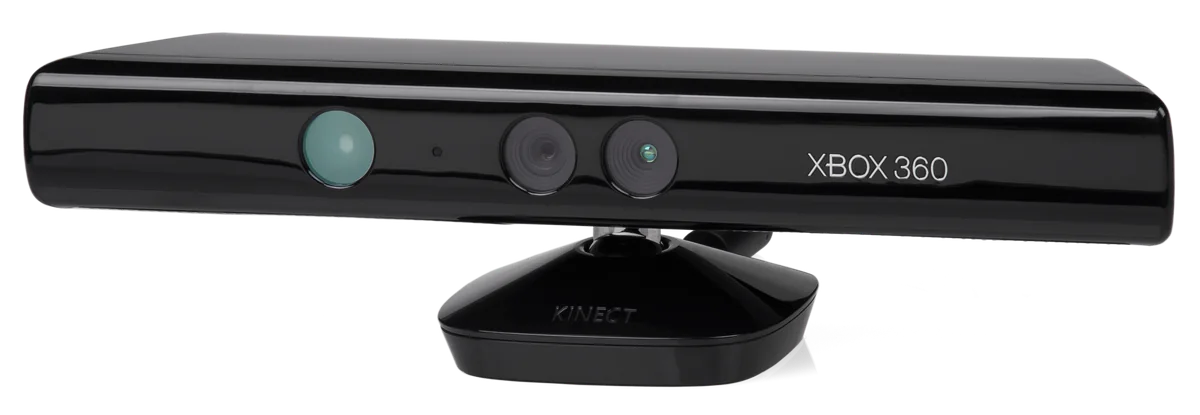
Kinect on Xbox 360 lets you control certain games by moving in front of the sensor. However, not every Kinect label means the same thing. Some games rely entirely on body movement, while others simply add features to a regular controller game. When shopping used, choose the kind of game first, then check the packaging. Here are familiar examples for sports, dancing and adventures.

Sports and adventures without a controller
Kinect Sports is a logical starting point if you want to try different sports. The first game includes bowling, table tennis, football and boxing. You act out the movements instead of using a button for each action. This gives a gaming evening a different pace from sitting on the sofa. Choose an activity everyone wants to try and check how that particular sport handles multiple players; not every activity uses the same arrangement.
Kinect Adventures focuses on movement through short adventures, such as navigating rapids and dodging obstacles. If you prefer varied challenges over a sports match, that is another direction to explore. Kinectimals is also among the original Xbox 360 Kinect games, with virtual animals taking centre stage. Compare the activity first: sports, jumping and dodging, or interacting with an animal all create different expectations.
Dancing, practice and optional extras
Dance Central uses the Kinect sensor to track your dancing. Rather than simply watching a rhythm bar, you try to perform the displayed choreography with your body. If you enjoy combining music and movement, that is a clearer guide than a broad party-game label. For a used copy, check exactly which Dance Central release it is and which songs belong to the base game. Do not automatically count on additional downloads or used codes.
The difference between required Kinect and optional Kinect support remains important. Kinect Sports, Kinect Adventures and Dance Central are built around the sensor. Forza Motorsport 4 is a different example: it provides controller-based racing and adds Kinect features such as head tracking. A Kinect label therefore does not automatically make a racing game fully controller-free. Read the packaging and manual for that exact title.
Check the console, sensor and play area
Start with the hardware-and-game combination: an Xbox 360 disc needs the correct console and the Kinect sensor for Xbox 360. Do not confuse it with the Xbox One sensor. When buying a separate used sensor, also check that it includes all cables and power components your console needs. A front-only photograph reveals little about that. If anything is unclear, ask to see the connections and the complete included set before ordering.
Next, make room for the movements your chosen game requires. Follow Kinect’s setup and calibration instructions and keep the floor clear. Test not only whether the console reads the disc, but also whether the sensor recognises you during play. If buying for a group, check the player count for each activity and whether people play simultaneously or take turns. This preparation helps you choose a Kinect game around the experience you can actually use at home.