
Practical guide · NexWave Games
Connecting a Super Nintendo to HDMI: what do you need?
Your Super Nintendo still works, but your new TV only has HDMI. A cheap cable seems the answer, until no picture appears. Which connection does the original SNES need, and when do you need a proper converter?

Check your TV's connections first
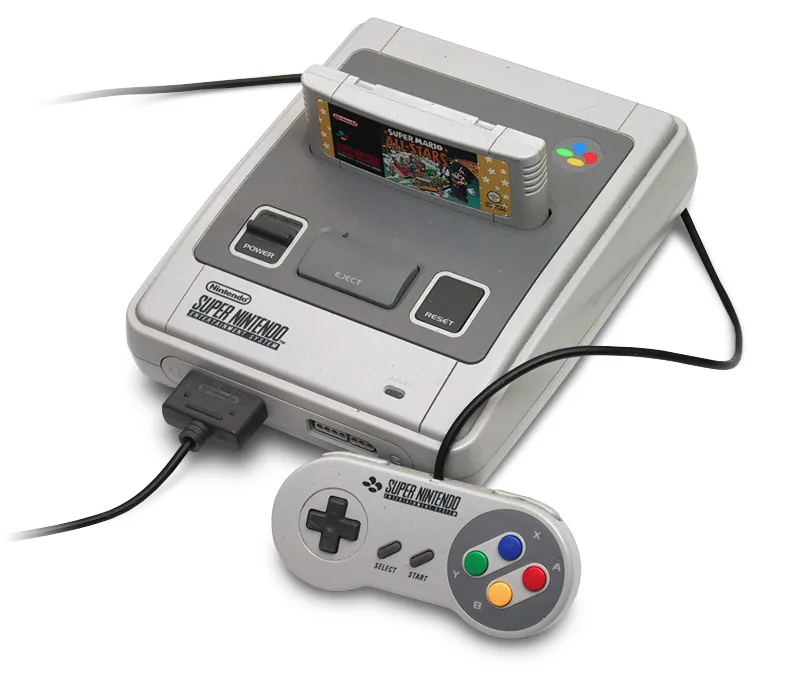
The original Super Nintendo does not output HDMI. European models send analogue video through a suitable cable, such as yellow, white and red RCA plugs or an appropriate SCART connection. If your TV has such an input, you can start without an HDMI converter. Select the correct AV or SCART source, and check that the power cable and controller are included.
If the TV only has HDMI, an adapter that merely changes the plug shape is not enough. You need a device that converts analogue video into HDMI. Check its input carefully: composite, RGB SCART and HDMI are different. A cheap composite converter often works, but does not automatically make an old signal sharper.
Watch for PAL support and lag
A European SNES and PAL game produce a signal your converter and TV must support. Check the specifications for PAL and the chosen input. If the picture is black and white or absent, first check the selected source, plugs and converter settings. Test with a game known to work.
A converter can introduce extra delay in fast platform games, noticeable when timing a jump. A basic solution may be fine for a short nostalgic session. Frequent players can compare converters or retro scalers more closely. Also enable your TV's game mode if available.
Do not confuse the original SNES with the Classic Mini
The small Super Nintendo Classic Mini released in 2017 has HDMI output and built-in games. It is a different device and cannot take original SNES cartridges. Identify your console before searching for a 'SNES HDMI cable'. A photo of the back and cartridge slot quickly clears things up.
For a used original SNES, ask for a photo showing console, power supply, video cable and controller together. If only the console is shown, include missing parts in your budget. Inspect the video port and ideally see the bundle running a game. You want both a connection that suits your TV and a console that actually produces a picture.