
Hardware guide · NexWave Games
Connecting a PSP to your TV: which model and cable do you need?
Playing a PSP game on a big screen can be enjoyable, but a cable alone is not always enough. Not every PlayStation Portable supports video output, and some models have separate requirements for games. Check your handheld's model number first, then your television's connections. That helps you avoid buying a cable that appears to fit but cannot display your game.
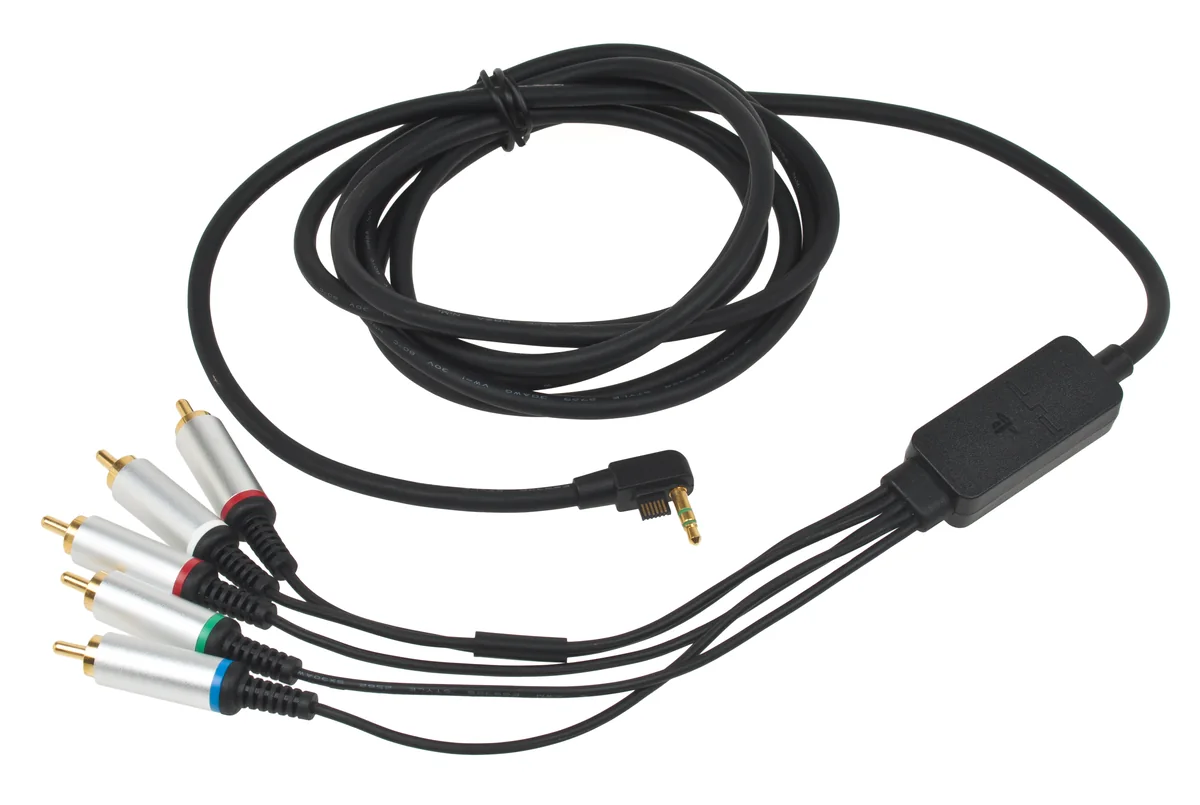

Start with the PSP model
The original PSP-1000 has no official video output for a television cable. The same applies to the E1000-series PSP Street. A normal USB cable does not change that: its USB socket is not an HDMI output. If you see a universal PSP-to-TV cable advertised, check which models are actually listed. Give a photograph of the connector and model number more weight than a general product title.
The PSP-2000 and PSP-3000 can output video through a compatible video cable. The PSP Go, or N1000 series, also supports TV output but uses its own cables with a different connector. Do not buy a PSP-2000 cable assuming it also fits a Go. The Go is also no alternative for physical UMD games because it has no UMD drive. Consider your games and cables together.
Check games and TV connections
For PSP games on a PSP-2000, both cable and television must support progressive video. A component cable is the usual choice; a yellow composite plug does not provide that progressive output. Sony's manual distinguishes PSP games from PlayStation software. Do not judge game compatibility from a video that happens to appear on the television. The PSP-3000 offers broader output options, including interlaced video.
Next, look at the back of your TV. Component uses separate video and audio connections and is different from HDMI. If your television only has HDMI, you need a suitable active converter that accepts the incoming signal. A simple adapter cable is no guarantee. Also check whether a shared component input requires a particular adapter. Read the TV manual before putting several accessories together.
Test the complete setup
Connect the cable, select the correct TV input and hold the PSP's display button for at least five seconds. Check the connected-display settings if necessary. Then test an actual PSP game, including sound and controls. If the screen stays black, check the input, plugs and output setting first. Do not immediately replace the handheld when the cause could simply be a wrong input or unsupported video signal.
Black borders around PSP games can be normal: the output does not automatically fill the whole television. Judge sharpness, aspect ratio and any delay without expecting an old handheld to produce HD games. When buying a used cable, check for damaged pins and a secure connection. With the correct model, cable and a tested TV input, you know in advance which setup you can actually use at home.