
Accessory guide · NexWave Games
Buying a Poké Ball Plus: what can you test and which extras are one-time only?
Catching Pokémon with a little Poké Ball in your hand gives Pokémon: Let’s Go its own atmosphere. However, buying a used Poké Ball Plus does not automatically give you the extras that came with an unused one. Mew particularly needs attention. Assess the controller’s operation and any Pokémon gift separately before comparing an offer with a complete original retail package.
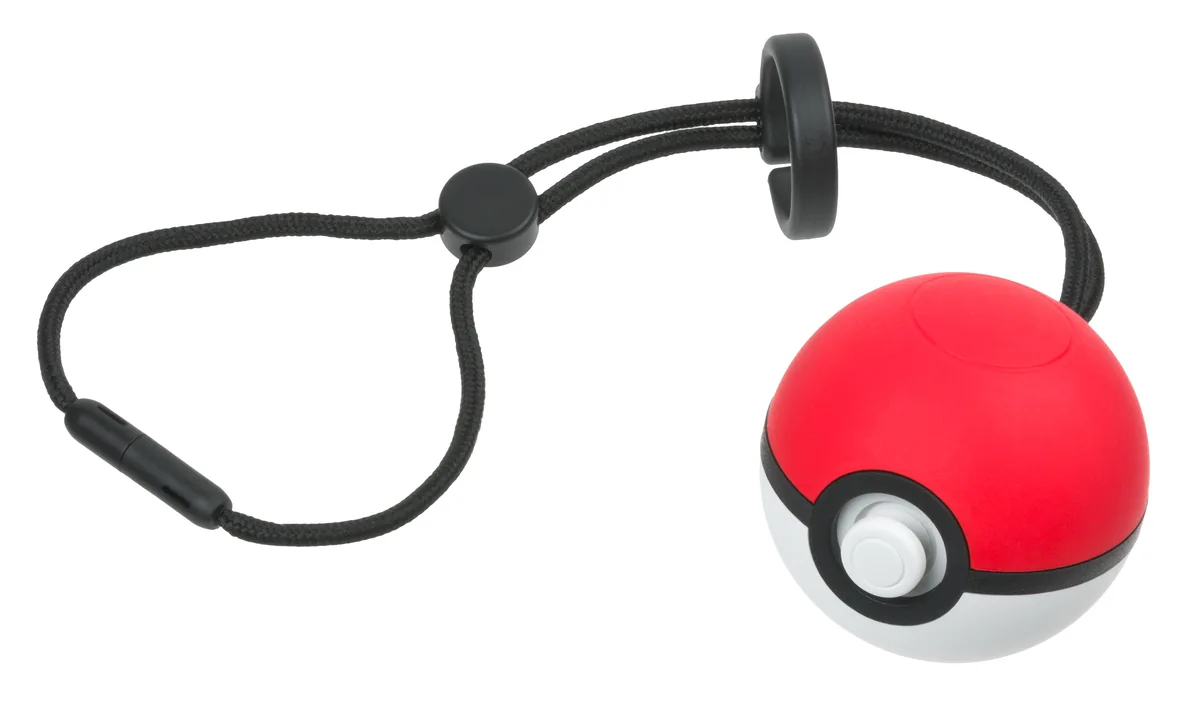

Start with the controller and the correct game
Poké Ball Plus is an electronic accessory with a stick, a top button and motion detection. Supported software, such as Pokémon: Let’s Go, Pikachu! and Pokémon: Let’s Go, Eevee!, lets you use it as a controller. A red-and-white plastic ball is therefore not automatically the same product. Ask for clear photos showing its controls, connection and wrist strap.
The accessory is not a universal replacement for every Switch controller. Check support in the game you want to use. In Pokémon Sword and Shield, for example, Poké Ball Plus cannot take over normal controls. Also distinguish it from Pokémon GO Plus +, a different device with a different design. Choose your intended function first, then check whether this particular Poké Ball supports it.
Mew cannot be made available again
The Mew originally included with a new Poké Ball Plus can only be transferred to a game once. After that transfer, no second copy remains for the next owner. Resetting the ball or deleting a saved game does not restore the gift. Nintendo also cannot add a missing or deleted Mew back to that same ball.
A working controller and an unclaimed Mew are therefore separate selling points. If an offer includes Mew, ask for clear confirmation that the gift is still available. A tidy box, working vibration or a statement that the ball has been reset does not prove this. Transferring also requires internet access. Do not carry out a transfer merely as a casual test: that would use the one-time gift.
Test buttons, charging and the wireless connection
Have the Poké Ball Plus connect to a compatible Switch setup and test it in supported software. Check the stick, its press function and the top button. Nintendo also provides a button test through System Settings, Controllers and Sensors, then the input-device tests. Check whether lights, sound and vibration respond in functions that use them. A single flash does not establish that every control works.
Inspect the USB-C connection, its cover and any included charging cable. Ask to see charging recognised and the accessory continue working after unplugging it. Battery age and use matter with a used example. Also inspect the wrist strap and the ring used to hold the ball. Finally, specify exactly what you are buying: a working Poké Ball Plus, the included parts and Mew only if the gift is demonstrably still available.