
Compatibility · NexWave Games
Can you play Xbox One disks on an Xbox Series X or Series S?
You have a stack of Xbox One games on disc and want to buy a newer Xbox. Then the question is not only whether the games work, but especially which console you bring in. An Xbox Series X with a disc drive and an Xbox Series S look alike in terms of game offerings, but the difference is large for your physical collection.
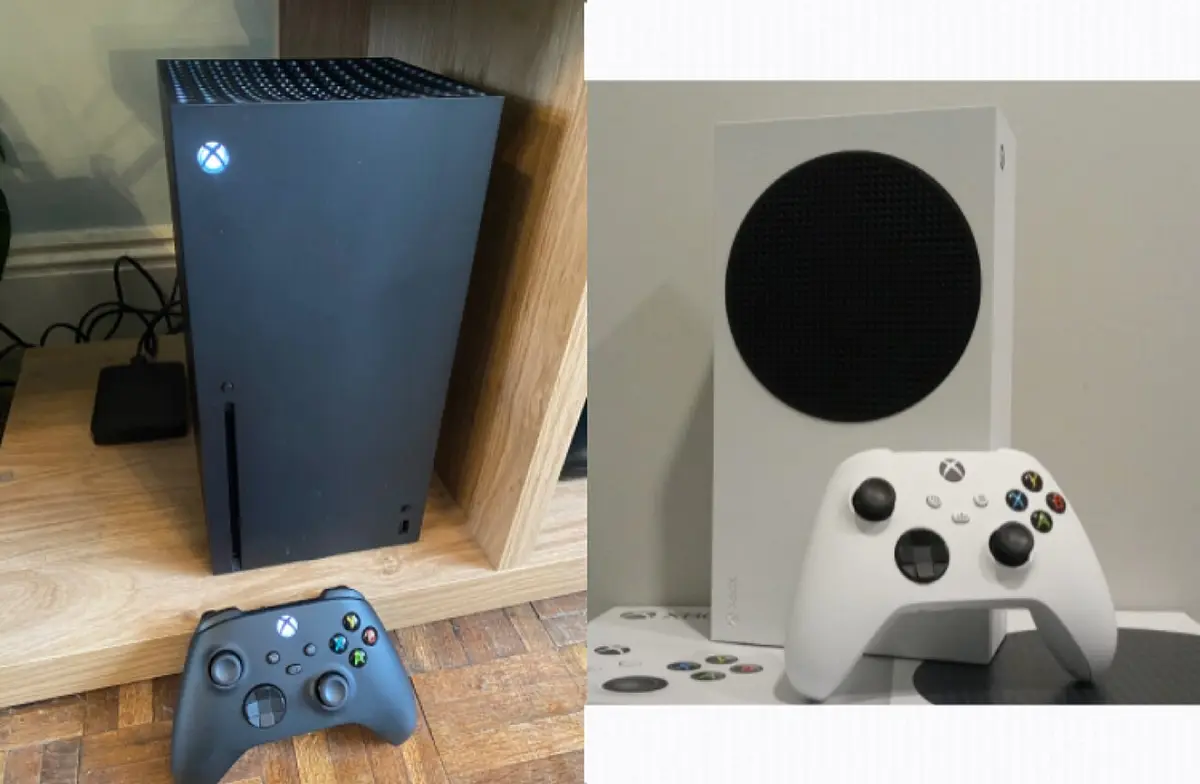

Series X: place the disc and check the game
Most Xbox One games are playable on an Xbox Series X with disc drive. You place the disk, install the game and download an update if necessary. The disc remains your proof that you own the game: usually it has to be in the console again when you want to play. So do not expect a permanent digital purchase because you entered a second-hand disc once.
There are exceptions. Microsoft offers a list of excluded games and some games that require a Kinect sensor do not work as you might expect. Therefore check a specific title in the official compatibility information before buying a large collection or an expensive game. Also look at the state of the disk. A damaged disc can stop the installation even when the game itself is supported on Series X.
Series S has no opening for discs
An Xbox Series S plays digital, compatible Xbox One games linked to your Microsoft account. There's no disc drive in it. So you can't put an Xbox One disc in a Series S, and a single USB disk doesn't make it into a Series X. This is the most important distinction when collecting second hand games with covers.
Do you see a box with both Xbox One and Xbox Series XS on the front? Then still read whether this is a physical disc. A code or digital purchase works differently than a disk. If you buy your mainly used games on disc, then a Series X with disc drive offers many more features. If you only play digitally, a Series S can fit just fine.
What about this new digital disc function?
Xbox announced an Insider test in 2026 to claim a digital claim for certain supported discs. To do so, the disc must first be placed in an Xbox One or Series X and you must meet the conditions of that test. The announcement does not make the Series S a console with a disc drive and is not a safe basis for a conventional used purchase.
So don't let a seller promise that a loose disc will work on your Series S. Base your choice on what the console can do right now: Series X reads physical discs, Series S does not. If you later buy a separate digital version, that is a different purchase than the game used on disc.
If you see on a cover "Smart Delivery" the console can install the appropriate version with a supported title. That too does not simply eliminate the need for the physical disk when buying on disc. Check with multi-edition games which version and any upgrades really belong to the offered copy.
This is how you choose without surprises
Make a list of the Xbox One games you want to bring with you before purchase. Check the compatibility by title, see if your intended Series X actually has a disc drive and ask a used console for a pilot installation with a disk. If you want a Series S, check that your games are in your digital library instead of just in the closet. This prevents a pile of beautiful covers that your new console can't handle.