
Accessory guide · NexWave Games
Original Xbox Duke or Controller S: which should you choose?
For many players, the large Duke is the image of the first Xbox. The smaller Controller S feels very different in your hands, but belongs to the same console family. Which suits you better? The answer mainly comes down to comfort, button layout and the condition of the particular controller you actually buy.
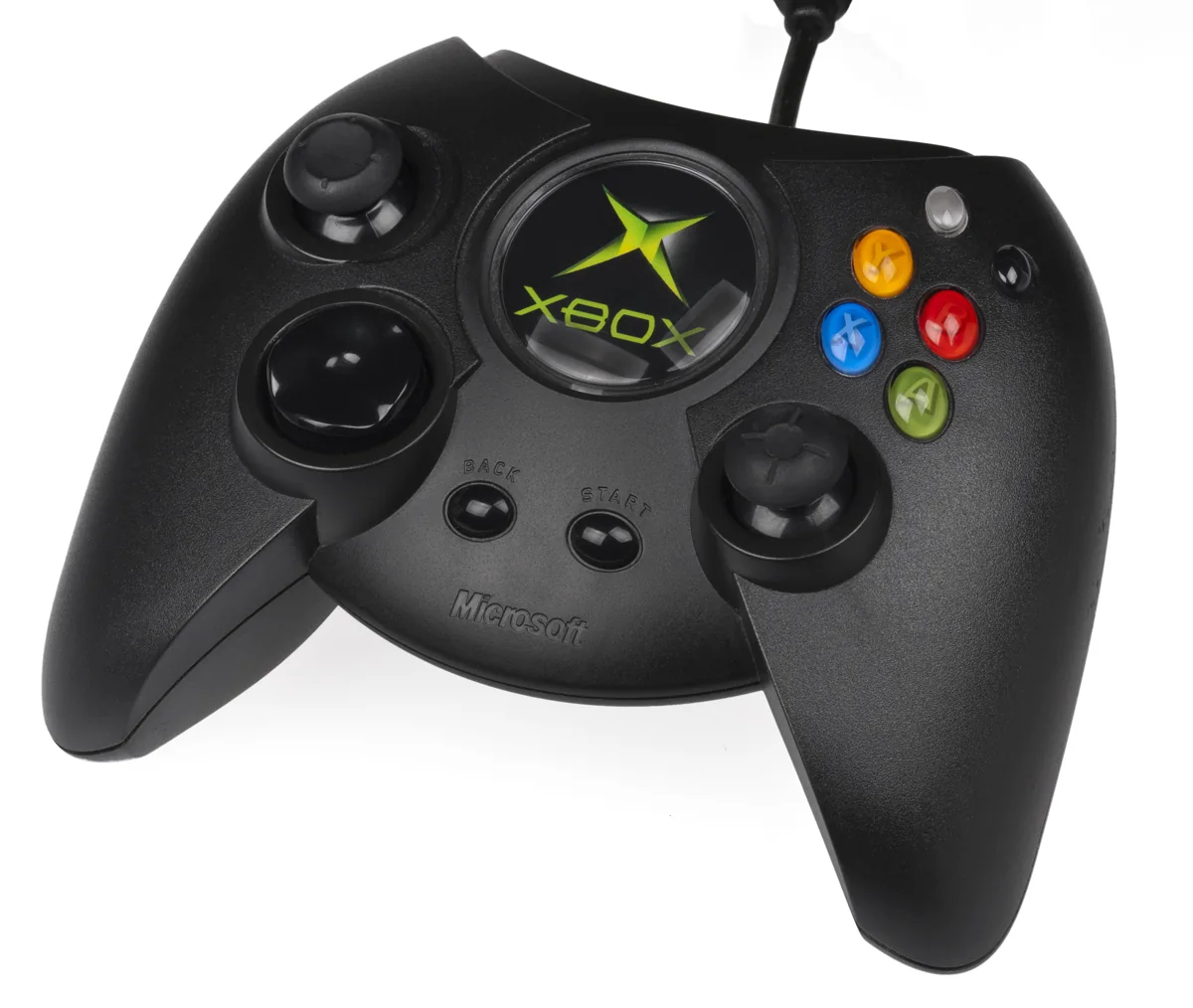

Two designs for the original Xbox
The original Duke and Controller S are controllers for the first Xbox generation. Duke has a substantial shell; Controller S is more compact. Certain buttons are positioned differently too, including the black and white buttons and Start and Back. You notice this more while playing than in a photo beside the console. So do not judge only by which version is most familiar.
Which feels better depends on your hands and habits. A larger shell can be pleasant if you like having plenty to grip, while a compact controller puts the controls within easier reach of smaller hands. Neither is automatically better for every player. If you can compare them, spend a few minutes playing the same game with each. Notice whether you can reach the buttons without constantly changing your grip.
Check the generation and the complete cable
Check that the listing shows the original Xbox connection. Modern controllers also exist that refer to Duke but were made for other systems. A newer USB version is not automatically a replacement for the old Xbox plug. Read the manufacturer and platform on the product and inspect the cable end. The Duke name alone does not tell you which console that particular controller works with.
Also check the detachable cable section near the connector, often called the breakaway connector. If it is missing from a model that needs it, you cannot play straight away. Ask for a photo of the entire cable, with its end next to the controller. Compare listings including all required parts. A cheap controller on its own can become less attractive if you then have to find the correct cable section.
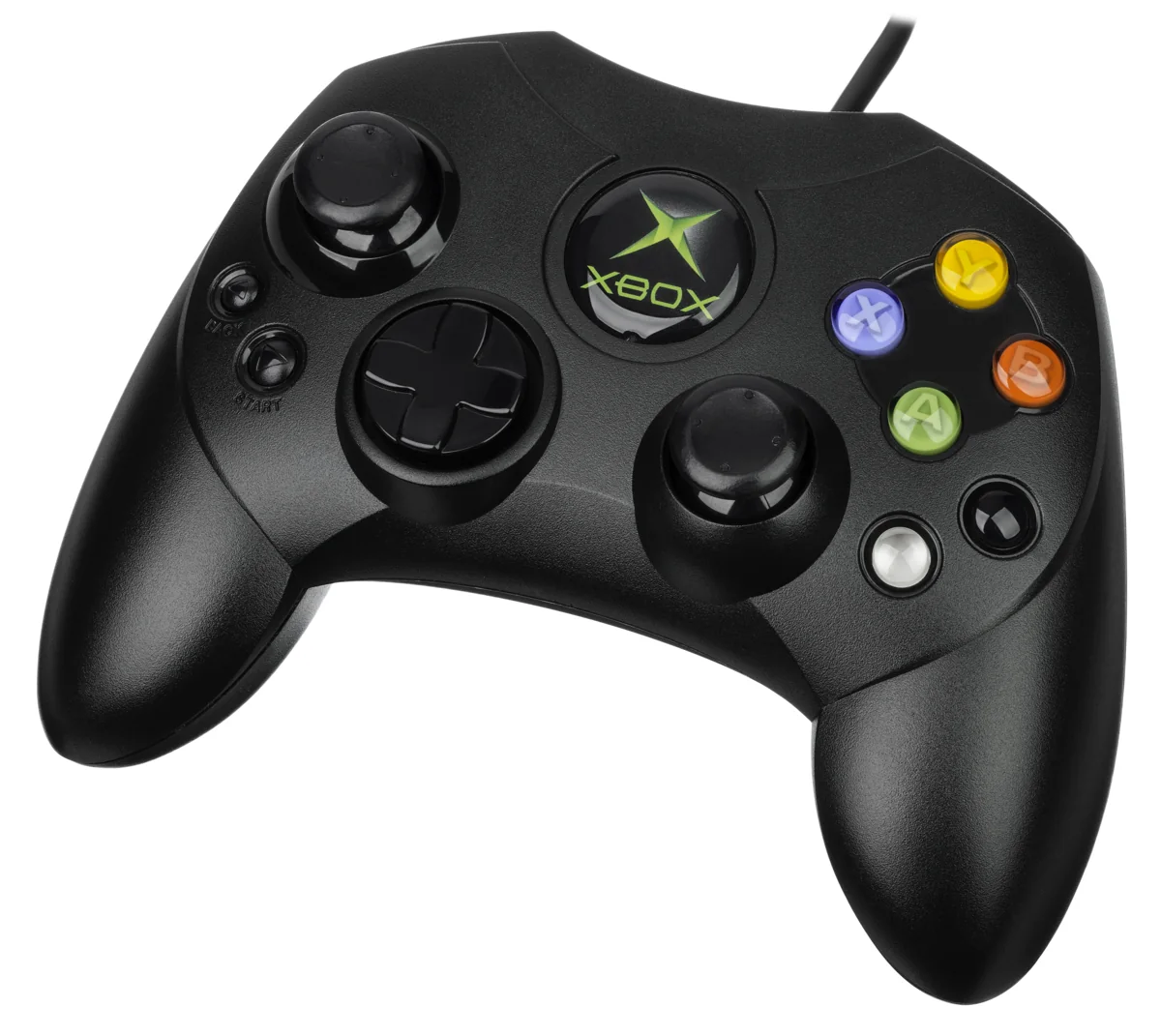

A good stick matters more than a tidy front
Test the sticks gently in every direction and release them. Their input should return cleanly to centre. Also try the triggers, directional pad, action buttons and black and white buttons. Look for cracks at cable exits and a connector that feels loose. Ask whether the controller was tested on an original Xbox, rather than merely whether an indicator or adapter responded somewhere.
For collecting, original version, colour and cosmetic condition may carry considerable weight. For regular play, grip, reliable controls and a complete cable often matter most. Check the expansion ports too if you intend to use them. Ultimately, choose the Duke or Controller S that suits both your hands and console. A working, complete example is more enjoyable than a familiar name with worn sticks.
Ideally compare them using a game you know. You will notice more quickly if a button is just out of reach or a trigger feels different. A brief test in an unfamiliar menu tells you less about comfort during a longer race or an evening playing together.