
Compatibility · NexWave Games
Which Xbox 360 discs work on an Xbox Series X?
Revisiting your Xbox 360 collection on Xbox Series X sounds appealing. Supported titles can work, but not every 360 disc does. Even the Series X name is not enough: you need a version that reads discs. These checks stop a great find sitting unused once you get it home.

Find the game on the official list
Microsoft supports a selection of Xbox 360 games through backwards compatibility. Check the full title on the official Xbox list before ordering a physical copy. A popular name or Xbox 360 branding on the box is no guarantee. Pay attention to the exact edition, compilations and multiple discs too. Support for an individual title does not automatically explain every differently assembled physical release.
Do not assume specialised accessories will work as they did before. A game needing a specific camera or other Xbox 360 peripheral requires extra checking. A supported game and a supported accessory are separate things. Look up the title and its requirements first rather than merely checking whether the disc fits a newer Xbox.
You need a Series X with a disc drive
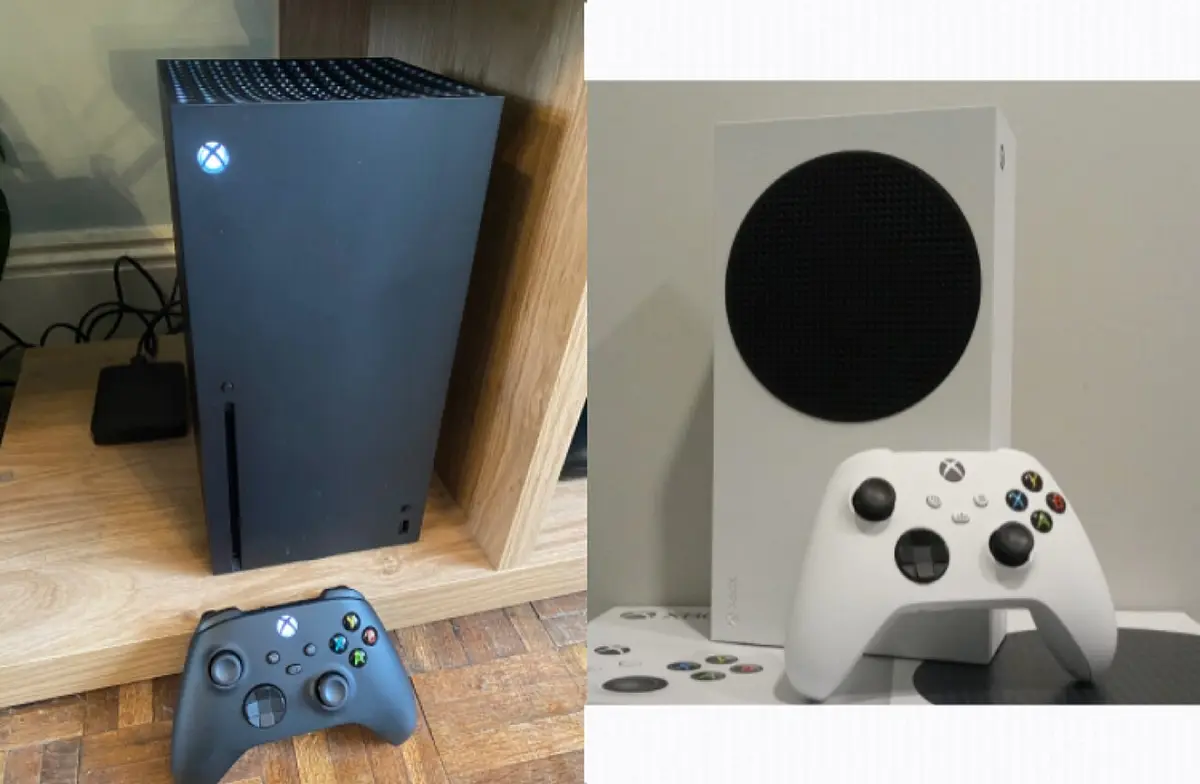
Your old physical disc requires an actual working disc drive. There are Series X versions without one. Check the exact model and a photo of the console, especially when buying used. Xbox Series S has no disc drive and cannot play your physical 360 disc through a normal external USB reader. A digital console is not a direct answer to a shelf full of discs.
With a supported Xbox 360 disc, the console uses the disc to verify access and downloads the playable version. Installation therefore needs an internet connection and enough storage space. The disc remains necessary when playing this way. Installing once does not turn your used game into a separate digital purchase you can keep launching without the disc.
Check the disc, edition and complete contents
Ask for photos of the disc label and reading surface. Check the title matches the box and all necessary extra discs are present. Special editions may provide expansions on an additional disc or a separate voucher; this varies by game. A code in a used box may already have been redeemed. Compare proven contents rather than just the edition name.
Where possible, have the offered disc recognised by a suitable console and check installation of that exact game. If something fails, first check official support and disc condition. The practical rule is: supported title, correct physical release, Series X with disc drive and room for the download. When those match, a used Xbox 360 game can be a welcome addition to your newer Xbox collection.
Plan the first installation before an evening when you want to play without internet. A disc you found is not always immediately ready for the newer console. Finishing the required download and launching the game beforehand prevents installation taking up the entire evening.