
Accessory guide · NexWave Games
Which Wii controller do you need for Mario Kart, Smash Bros. and more?
You will find a Wii game and see four small control plates on the back. At home you have a Wii Remote, a Nunchuk and maybe another Classic Controller in a drawer. Which one do you really need? That differs per game, and buying an extra controller without looking is a shame.
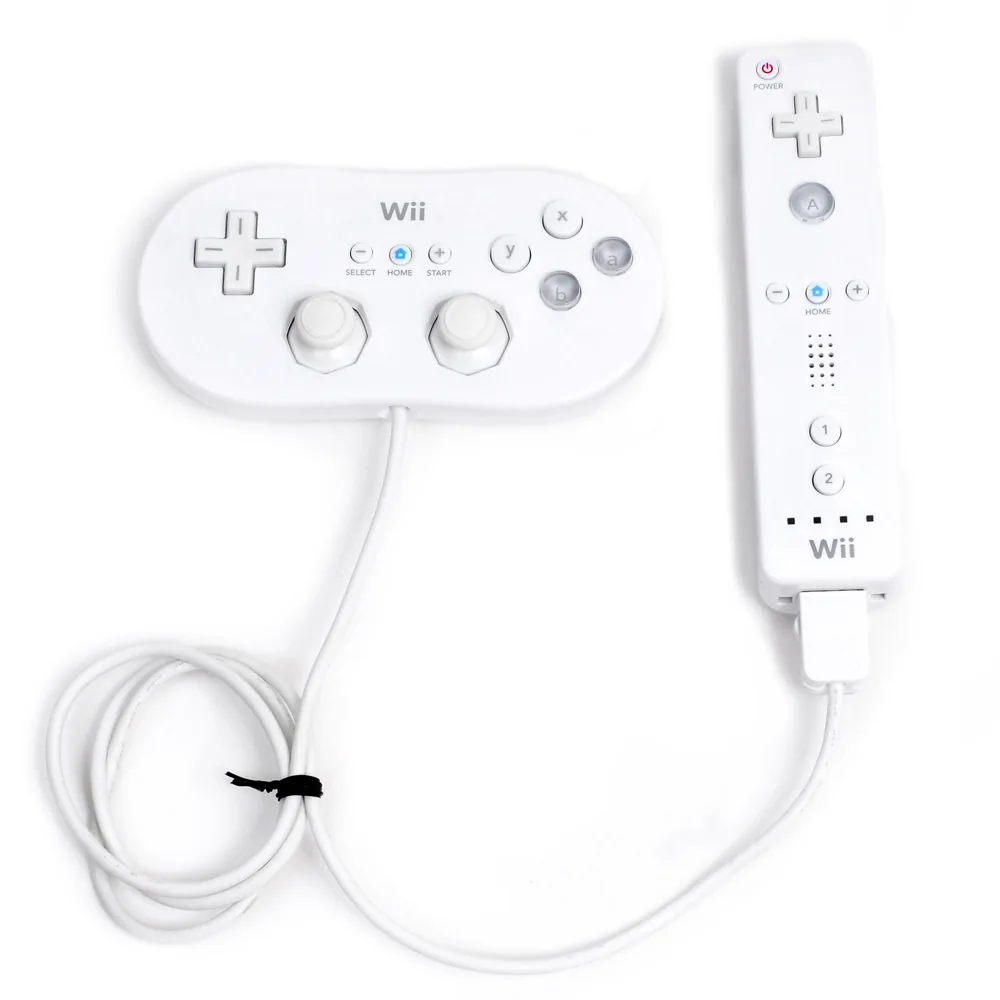

First the difference between the three controllers
The Wii Remote is the basic wireless control. You hold it in one hand or horizontally. A Nunchuk has a stick and two buttons; the cable goes under in a Wii Remote. A Classic Controller also connects to a Wii Remote, but gives you a traditional layout with buttons, sticks and shoulder buttons. So it doesn't make its own wireless connection to the console.
The Classic Controller Pro is another form of that classic control. 'Pro' does not mean that it replaces a Wii Remote. Both variants need a Wii Remote for Wii use to connect to. Which controller works then determines the game.
Mario Kart Wii and Super Smash Bros. Brawl give you choice
Mario Kart Wii supports surprisingly much operation: a loose Wii Remote on its side, a Remote with Nunchuk, a Remote with Classic Controller and a GameCube controller on appropriate Wii consoles. The plastic Wii Wheel is a holder for the Remote and not a mandatory electronic controller. For a race with two players, you can ensure a working operation per person; mix different supported options.
Also Super Smash Bros. Brawl lets you choose between Wii Remote, Remote with Nunchuk, Classic Controller and GameCube controller. If you especially enjoy a traditional button format, then a Classic Controller is interesting here. Check with a used GameCube controller if your Wii actually has controller ports; not every Wii version offers that connection.
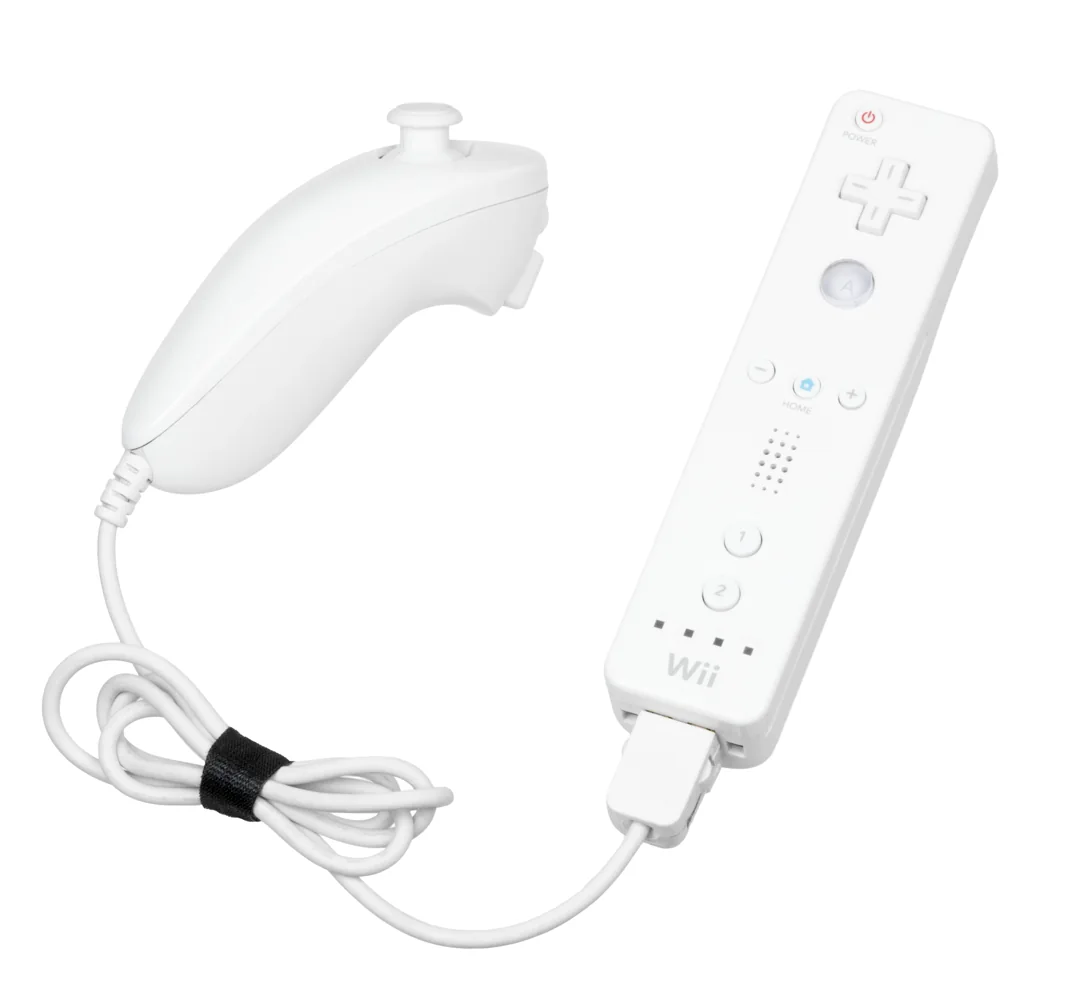

At Wii Sports and Mario it works differently
Wii Sports uses Wii Remote motion control. For boxing you also need a Nunchuk: both parts are your boxing gloves. A Classic Controller doesn't help you replace those movements. New Super Mario Bros. Wii uses your Wii Remotes to jump through the levels together. Buying a Classic Controller for this platform game will not give you an additional player.
Wii Sports Resort brings with it another requirement: for that game you need Wii MotionPlus or a Wii Remote Plus. That is a separate matter of choice between Nunchuk and Classic Controller. For a loose game, always read the controller icons on the back and make sure they are 'required' or 'supported'.
That's how you buy exactly what you miss.
First, make a list of your games. For Mario Kart and Smash Bros. you can often start with your existing Remote and add a Classic Controller later if you like it more. For boxing in Wii Sports you need a Nunchuk; for two players in New Super Mario Bros. Wii a second Remote. Ask for a photo of all included parts with a second hand set and test the plug at the bottom of the Remote. Then your game night won't stand still because of a missing cable.