
Accessory guide · NexWave Games
Which memory card do you need for the Nintendo GameCube?
You finally found that GameCube game, the intro starts and after a few minutes the game asks for a memory card. Of course, it wasn't in the console box. Which GameCube Memory Card do you need, and what do those numbers 59 and 251 mean? Luckily, you don't have to dig through a technical manual to make a good choice.
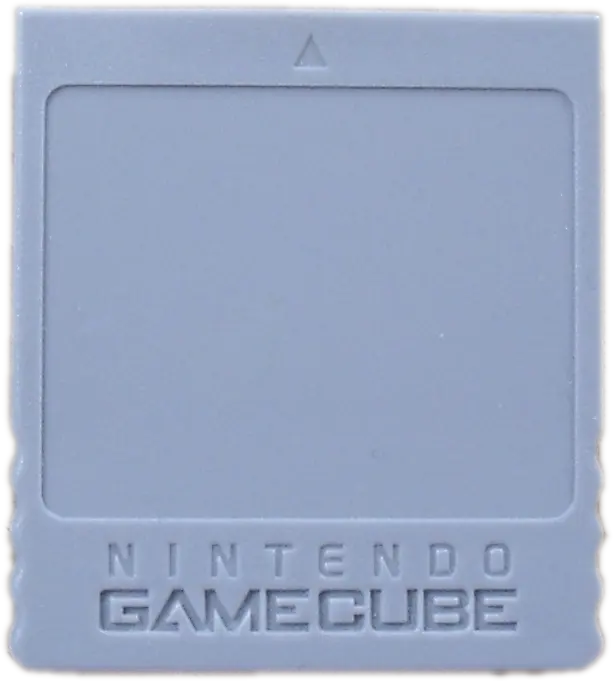

Blocks are the space for your saves
An official Nintendo Memory Card 59 offers 59 blocks of storage; the Memory Card 251 offers 251. A game does not automatically use one block: some save a small save, others save more progress, repeats or settings. Look at the back of the game cover or in the manual for the number of required blocks. So you know how much space left after your first game.
If you play one or two GameCube games every now and then, an empty card of 59 blocks can be enough. Collect more games, then give a map of 251 blocks of extra breathing space. There are also maps with other capacities and brands. When using a second-hand ad, look at the actual free space and test the card, instead of just relying on the large number on the front.
On GameCube and on the right Wii
The card goes into a memory card slot of the GameCube, usually slot A. If you have a first Wii that can play GameCube disks, model RVL-001, you can also use a GameCube memory card there. The later Wii Family Edition and Wii Mini lack the necessary GameCube connections. So look at your exact Wii model before buying extra accessories.
An SD card in the Wii does not replace a GameCube Memory Card for directly saving game progress in a GameCube game. Nintendo makes that distinction explicit in his support information. The card belongs to the GameCube games, not to the storage of ordinary Wii games.
Check a used card
Ask if the console recognizes the card in the memory menu and how many free blocks are visible. Preferably make a test save, close the game and reload that save. Only it fits into the slot. See if the contacts are clean and never delete the card while the console is writing; then you can damage data.
A second hand card can still contain saves from the previous owner. Do not delete this blankly before checking that the card is read normally. If a game does not work with a full card, then another card helps or freeing up space. First check which old progress you want to keep.
Also remember that a GameCube card is not a convenient alternative to a regular Wii save. On an RVL-001 Wii you can see GameCube data in memory management, but Wii games save their progress in a different way. Therefore, buy the card for the GameCube titles you really want to play and view the required blocks per game.
The practical choice
For a small collection, a tested Memory Card 59 is a good start. If you want to switch less quickly, choose 251 blocks or check a larger card extra carefully. Combine the card with a suitable GameCube or Wii RVL-001, a working controller and the game on disc. Then after your first game night, you can continue exactly where you left off.