
Accessory guide · NexWave Games
How do you recognise an original PS2 memory card?
A used PlayStation 2 quite often comes without its memory card. Online, you then find cards with Sony logos, enormous capacities and widely varying prices. Which one is original? There are useful clues, but no single photo tells the whole story. For your game progress, reliable saving matters just as much as where the card comes from.
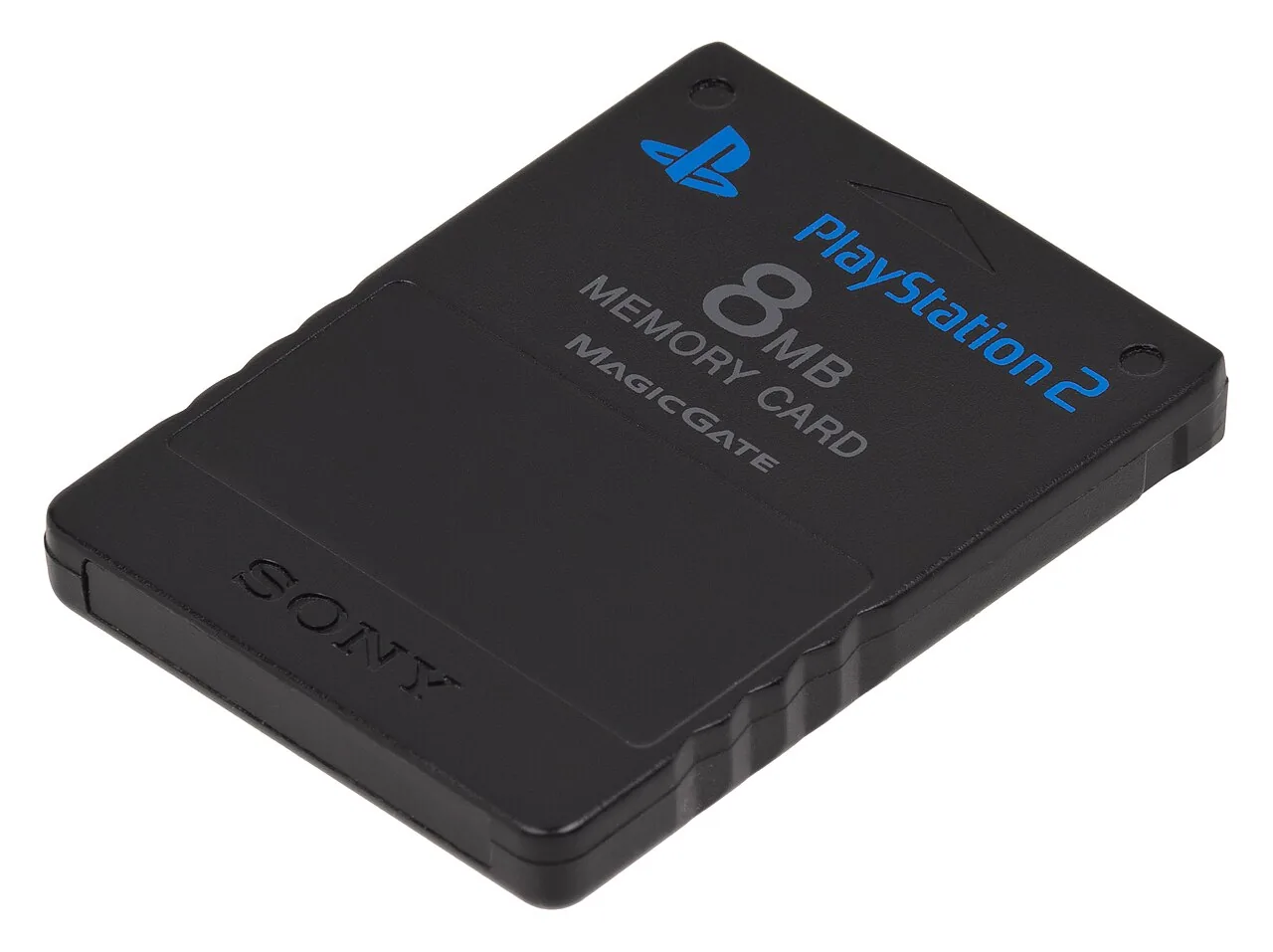

Get to know the official Sony card
The familiar original Sony Memory Card for PlayStation 2 has 8 MB of storage and uses MagicGate. The product designation SCPH-10020 belongs to this official card. Sony released several colours too, so a memory card does not have to be black to be original. Compare the model, capacity, printing and shape together instead of treating one detail as decisive proof.
A card with much more storage is not that same official 8 MB Sony card. That does not automatically make it counterfeit: other manufacturers also sell memory cards as alternatives. The difference lies in how the product is advertised. An honestly labelled card from another brand should be judged differently from one using copied logos to pretend it is a Sony product.
Photos help, but do not prove authenticity
Ask for clear photos of the front, back, contact edge and any packaging. Look for unclear lettering, odd model information, damaged contacts and a poorly fitting shell. Compare with official product information, while allowing for wear and different original colours. An old label can be worn without making the card fake. Conversely, a copied label can look surprisingly tidy.
Ask the seller about its origin and get explicit confirmation of whether it is an original Sony card. A logo, model number or polished listing is not conclusive proof by itself. Do not simply open the card to inspect it: you may damage the shell, and even a circuit-board photo needs expert assessment. For an ordinary purchase, clear provenance and a proper functional test are more practical.
Test saving and loading again
Use a working PS2 and a game that saves to a PS2 memory card. Create a new save file, exit the game properly and check after restarting that the file loads. Also check recognition and free space in the console browser. A message saying a card is present does not prove reading and writing are reliable.
Do not confuse a PS2 memory card with a PS1 card. For PS1 games played on a PS2, use the appropriate PlayStation memory card for saving progress. Check which games you want to save before ordering. An original, properly working card with enough free space is a good starting point. For irreplaceable saves, also make an appropriate extra copy where your setup allows, so one old card is not your only place of storage.
During a demonstration, do not delete existing saved games without the owner's permission. Ask for an empty file or enough free space for a small test. You can check operation without anyone losing their progress, and recognise the new test file afterwards.