
Accessory guide · NexWave Games
Guitar Hero on PS2: which guitar works with which game?
A plastic guitar, a PS2 and a Guitar Hero disc seem like a complete evening of music. With used bundles, though, the connector or a missing receiver often causes trouble. Nor do the Guitar Hero and Rock Band names guarantee that their equipment is interchangeable. Start with the exact game and work towards the right guitar.
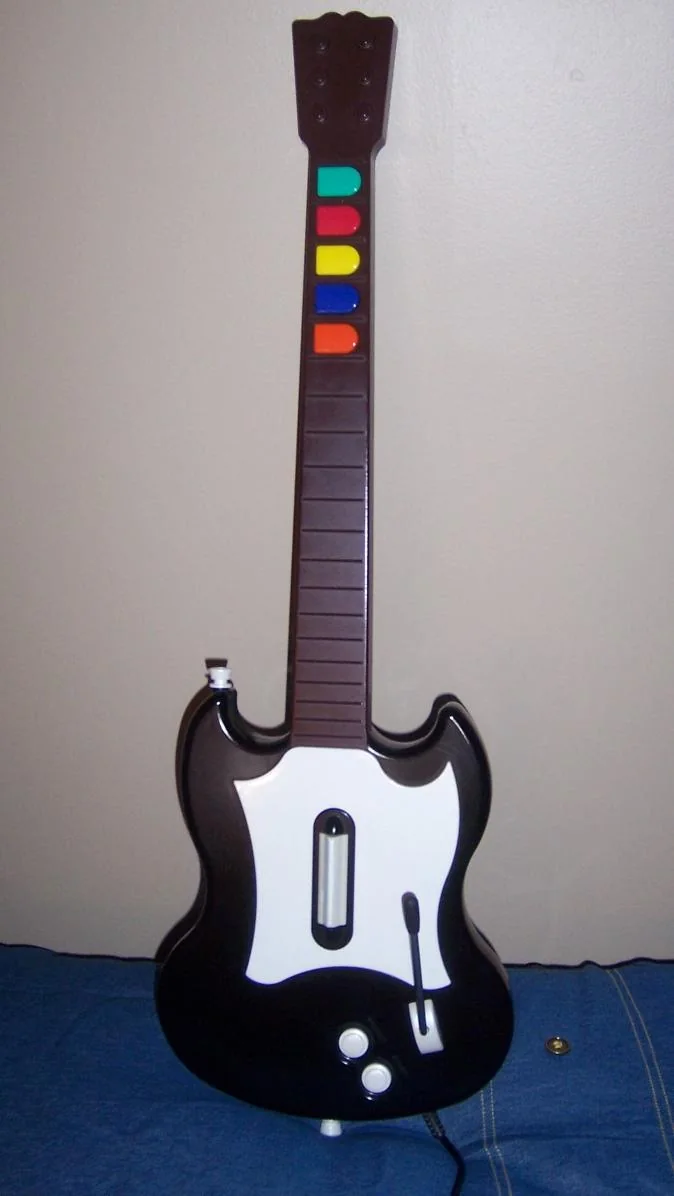

First check that the guitar was made for PS2
Guitar Hero appeared on several consoles, and the guitars sometimes look very similar. A version for Xbox 360, Wii or PlayStation 3 is not automatically a PS2 guitar. Look at the rear label, model name and connector at the end of the cable. Request photos of those parts when the listing shows only the front. The guitar's colour or shape is not enough proof.
For a wired PS2 guitar, check that its plug fits the intended controller port. A wireless model needs its matching receiver, which may have its own connector and pairing procedure. A random USB receiver from another guitar will not automatically replace it. Confirm which receiver belongs to the offered model and whether the guitar and receiver have been tested together.
Support varies by game and instrument
Check the compatibility of your exact guitar with your exact PS2 game. An instrument working with one Guitar Hero release need not offer the same functions in every other music game. Rock Band can also involve different instruments and connections. Use a compatibility chart or manual from the relevant publisher or manufacturer. Do not turn a test with one title into a promise for every game in the series.
With bundles, check what the game requires. A guitar game, a band game and a game playable with a standard controller are different buying decisions. If you already have a favourite disc, give the seller its full title and ask for a test with it. This is especially important for alternative guitars, adapters and sets containing mixed parts from different versions.
Test more than just the coloured buttons
Have every fret button, the strum bar, Start, Select and the whammy bar tested. For a wireless instrument, also check pairing, battery compartment and range at a normal playing distance. A sticking fret or a strum bar registering twice is much easier to notice in play than in a photo. If the neck is detachable, check that the connection is firm and ask about repairs.
Compare prices for complete, working combinations. A cheap guitar missing its required receiver can end up costing more than a tested bundle. Agree beforehand which game, guitar, cables and receiver will be supplied. You will then buy a set you can start using, rather than loose parts that only reveal their incompatibility once you get home.
For a complete set, do not forget the strap, battery cover and any detachable neck. Not all of them determine whether the game starts, but missing parts can make use less comfortable. Ask for a photo showing which parts the price includes, especially in a bundle with several instruments.