
Accessory guide · NexWave Games
Buying a Game Boy Player: why should the startup disc be included?
Playing a Game Boy cartridge on television sounds appealing when you want to see your handheld collection on a bigger screen. The Game Boy Player makes this possible on a Nintendo GameCube. However, the black device beneath the console is not the complete solution. Its original operation also requires a special startup disc. An offer without that disc therefore needs a different assessment from a complete playing setup.
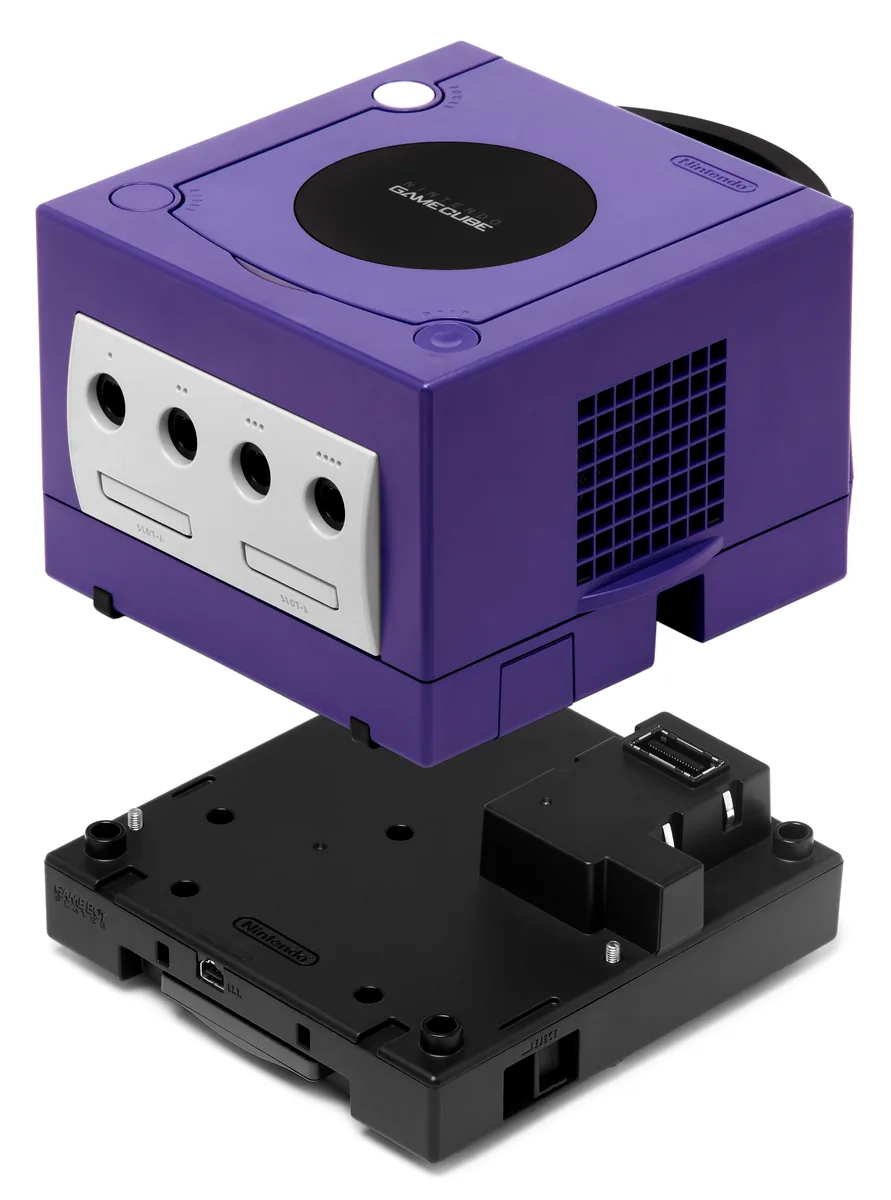

What does the Game Boy Player do?
The Game Boy Player connects underneath the GameCube through the intended connection. You insert a supported Game Boy, Game Boy Color or Game Boy Advance cartridge into the Player, and the GameCube provides the television display. It is not simply a cable forwarding a handheld’s picture. You use a separate accessory with a cartridge slot and accompanying software to start the system.
This arrangement does not suddenly make Nintendo DS or Nintendo 3DS games playable. Games with unusual functions or accessories also require individual compatibility checks. Do not rely on a cartridge looking approximately the same size. Consider the game you actually want to play and read the Game Boy Player information. That prevents a general suggestion of Game Boy support from promising more than your particular combination can deliver.
Why does the startup disc matter?
The original startup procedure requires the Game Boy Player Start-up Disc in the GameCube. The hardware beneath the console and the software on the disc work together. Connecting the Player and inserting a cartridge are not enough for this standard setup. An arbitrary GameCube game cannot replace the startup disc’s function. Look specifically for the presence and operation of that particular disc, rather than relying on the word complete.
The startup disc must also match your GameCube’s region. Check the release on case and disc and compare it with your console. An imported set can look identical while its included disc will not start on your system. If uncertain, ask for a demonstration with the intended region. Attractive packaging or another accessory does not make an incompatible startup disc work in your standard arrangement.
Check what you actually receive
Ask for clear photographs of the Player, its connection side and the startup disc. A test should demonstrate that the GameCube reads the disc and a supported cartridge actually starts. Then check buttons, picture and the option to return to the Player menu. Use a supported controller setup for operation, and ask which controller is included. The Game Boy Player name on a box says nothing about missing components.
Your game progress belongs to the game and that cartridge’s storage capabilities. Do not treat a GameCube memory card as a replacement for a missing or broken Game Boy save function. Buying the hardware alone can make sense if you already have the correct disc. Starting from nothing, compare the complete combination of Player, matching startup disc and working console. That is the setup that actually lets you begin.