
Buying guide · NexWave Games
Still saving an old Game Boy game? This is how you recognize battery problems
You spent hours in a Game Boy game, disable the device and discover the next day your save is gone. It's not always your handheld. In some old cartridges a small battery keeps the game data. When it runs out, a beautiful looking game suddenly becomes a lot less fun to collect and play.
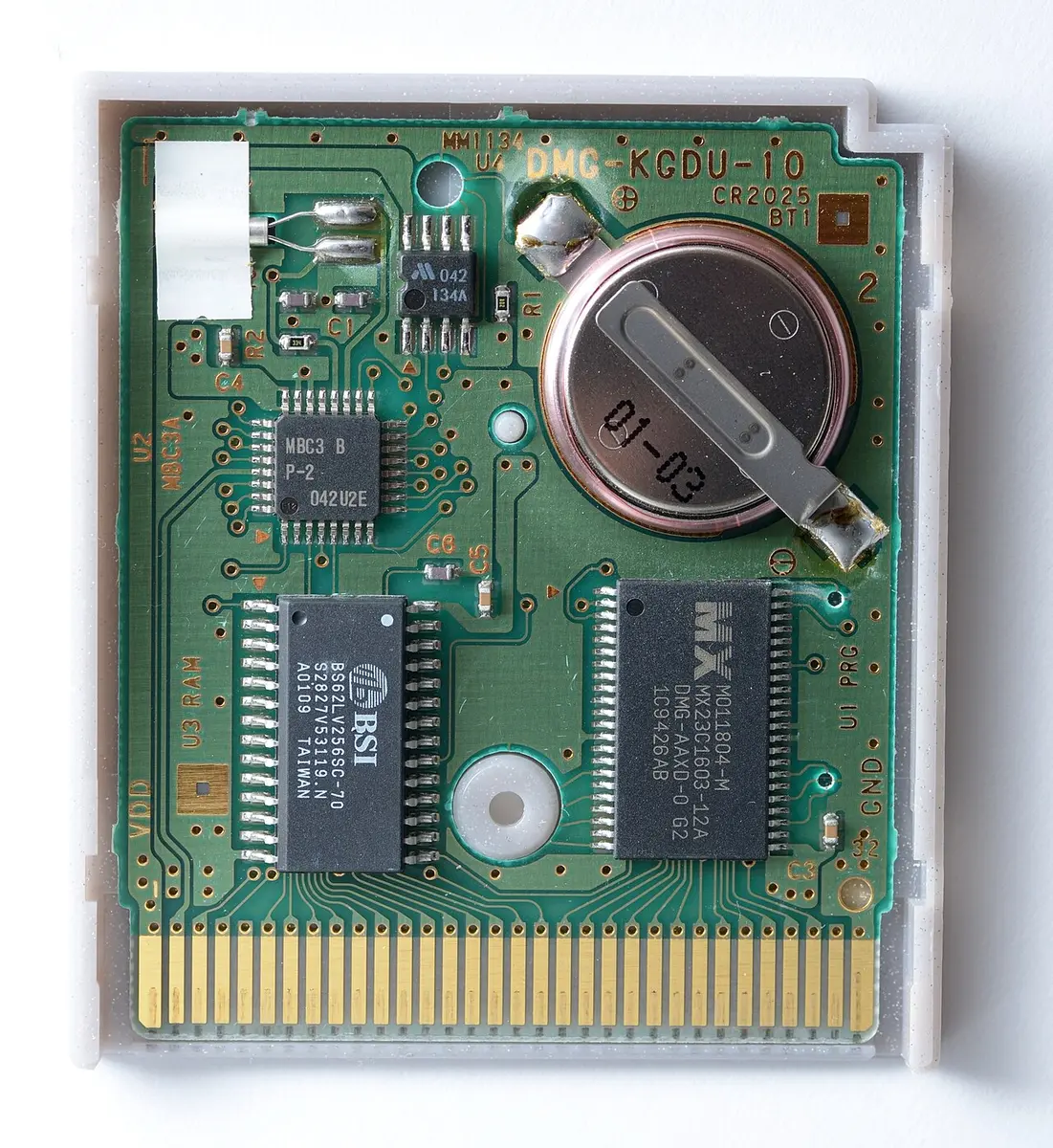

Not every cartridge stores the same way
Many older Game Boy and Game Boy Color games with a save function use battery powered memory. Pokémon Silver is a well-known example; a picture of the open cartridge shows the button cell that provides the memory with power. But not all Game Boy games store progress and not every cartridge contains the same technique. So do not use the grey or transparent housing of a battery.
Some games save nothing and start over each time. Others use a password or have storage without the same battery dependency. Check with a specific title for how his save works. Neither can you automatically judge a Game Boy Advance cartridge with rules for an older Game Boy Color game. That distinction prevents unnecessary repairs or wrong expectations.
A test that really proves something
Start the game, play until you reach a save point and save through the game menu. Then take out the Game Boy completely. Turn it on again and see if the saved game is available. A picture of the title screen or a game that only runs for five minutes doesn't tell you if the save survives.
In case of a second-hand purchase, ask if the seller has done exactly this test. Watch the clock at Pokémon Gold, Silver and Crystal: it also uses energy and can run strangely when the battery becomes weak. An older save on the start screen is a good sign, but does not guarantee that the battery will last for years.
What if your save disappears?
An empty internal battery is a possible cause, but not the only one. Dirty contacts, damage to the circuit board or a defective cartridge can also cause problems. Test first with a working handheld and only gently clean the outer contacts with an appropriate method. Don't pry open a cartridge like that because the game didn't start once.
For cartridges whose battery powers the memory, replacement can restore the storage function. Old game data that has already disappeared due to power loss usually does not come back. Replacing a soldered button cell requires the right tools and care; those who are not used to it can do better. Ask if a new battery is really placed and if a save has been tested afterwards.
With a game with an internal clock, a different time may be an additional clue, but not just look at it. An empty battery can express itself differently per game and a wrong setting can also confuse. The simple off-to-test remains the best question for a seller: does the save remain when the console has really been off?
Buy the game you can also play
Check the label, contacts and screw with a used cartridge, but give priority to the save trial. Let the seller clearly state whether the battery has been replaced and whether storage is working. Especially with a long RPG that information is at least as important as a clean exterior. Then your next adventure continues after the handheld is shut down, just as it should.