
Compatibility · NexWave Games
Does a wired Xbox 360 controller work on a PC?
An old Xbox 360 controller can be a pleasant way to play PC games. The wired version in particular seems straightforward: connect USB and start playing. But a wireless controller with a charging cable is not the same thing. That distinction determines which version you need and prevents buying a controller that receives power but sends no input.
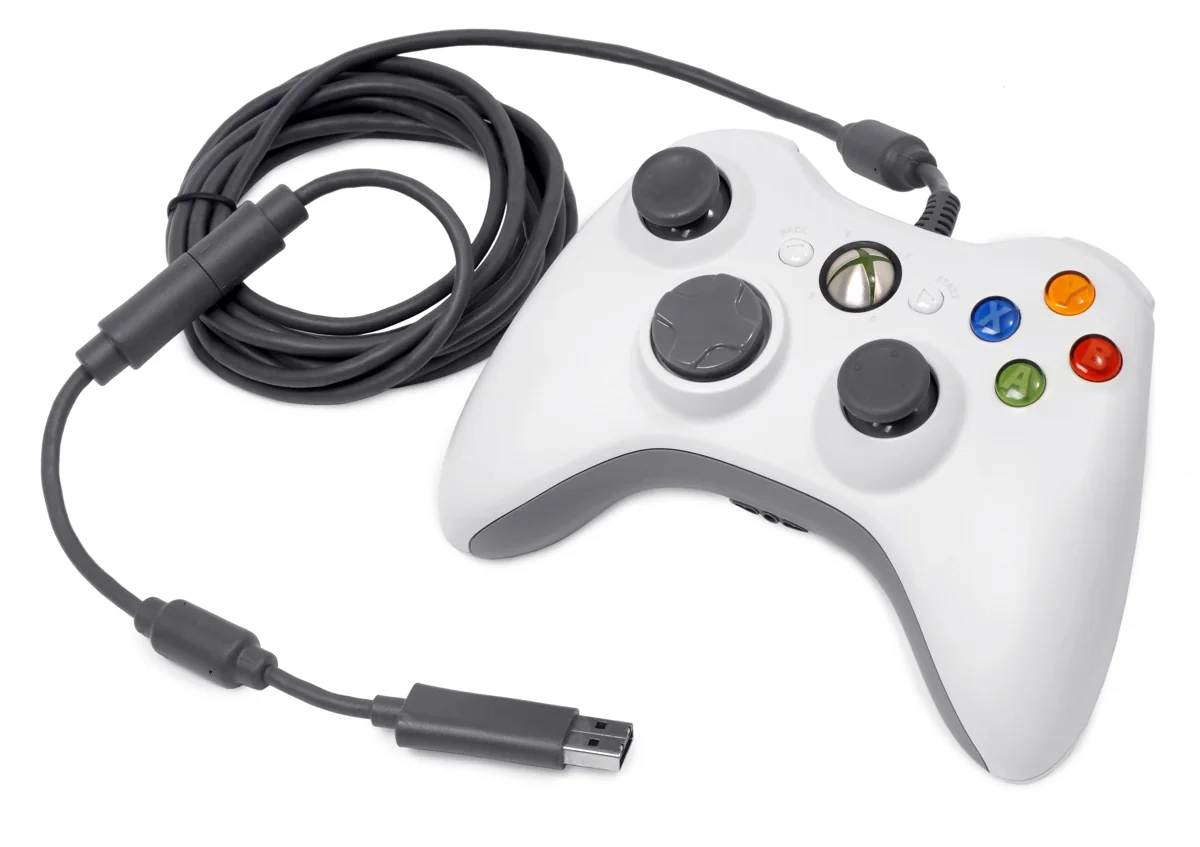

A genuine wired controller uses USB
Microsoft also released the wired Xbox 360 controller for Windows. With suitable support on your Windows system and a game accepting controller input, you can use it as a gamepad. So check not just the controller but also what the PC and game recognise. An old logo on the packaging is no promise that every historical driver is necessarily needed or usable on every newer Windows system.
Inspect the entire cable right up to the USB plug. The original wired version needs the correct detachable end where that section can be separated from the cable. Without this breakaway connector, you do not have a complete USB connection. Ask for a photo of the full cable when buying used. A close-up of the buttons alone cannot show this important distinction.
A Play & Charge cable does not turn wireless into wired
Connecting a Play & Charge cable to a wireless Xbox 360 controller does not make it an ordinary wired USB controller for game input. That cable does not provide the same data connection as the genuinely wired version. A wireless PC connection needs a compatible Xbox 360 receiver. The PC's Bluetooth setting or a receiver for another Xbox generation is not automatically a substitute.
Watch for wording such as 'with cable' in listings. It might mean a genuinely wired controller, but also a wireless model supplied only with a charging cable. Ask explicitly which version it is and how it was tested on a PC. Check the manufacturer too when an alternative is offered. A controller resembling a 360 model may have different connections or requirements.
Test input in Windows and in your game
Connect a complete wired controller and check that Windows recognises it. Use the available controller test to try sticks, triggers and buttons. Then launch the game you want to play and check whether it supports controller input. A recognised device does not mean every old game automatically displays the right button layout. You may still need to select or configure the controls within the game.
For a used controller, ask about broken wires, worn sticks and buttons that stick. Do not install random software from unfamiliar download sites if it does not respond immediately; first check official support, the connection and the device message. For the simplest purchase, look for a genuinely wired Xbox 360 controller with a complete USB cable and ask to see it working on a PC. Then you know you are buying a functioning input setup.
If the controller works in the Windows test but not in one game, investigate that game's settings first. If it works nowhere, try another usable USB port and check the cable end. Testing the device and game separately lets you describe the problem more precisely without immediately buying replacement parts.